Influencer walkthrough — open your storefront
From new account to a live, commission-earning storefront in a few minutes. Every screen below is the real app.
Auto-plays every screen like a slow-motion recording — or scroll the steps below at your own pace.
Step 1 — Create your account
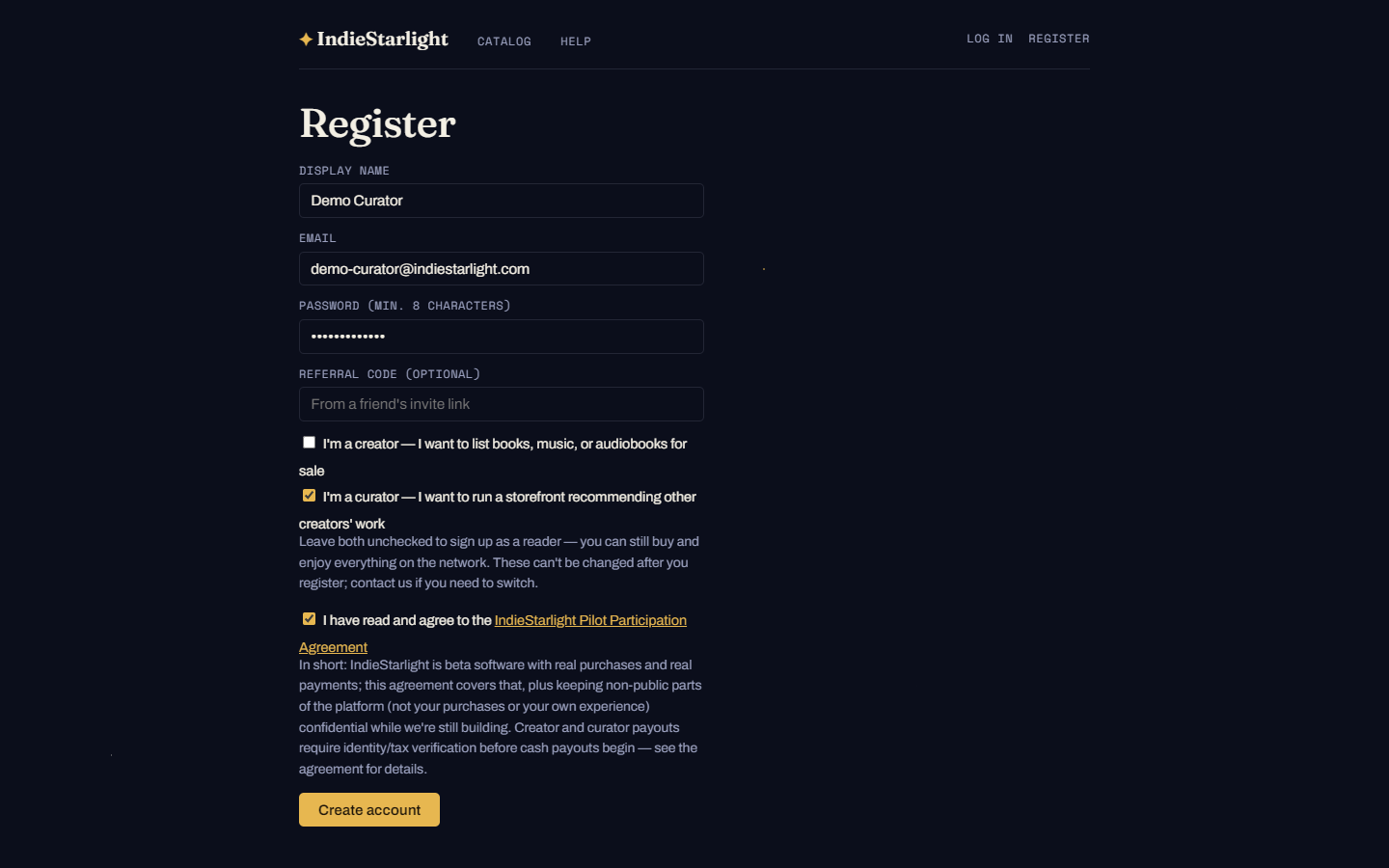
Register at app.indiestarlight.com/register and check “I'm a curator” — that unlocks storefront tools. Tick the Pilot Participation Agreement to finish.
Step 2 — Name your storefront
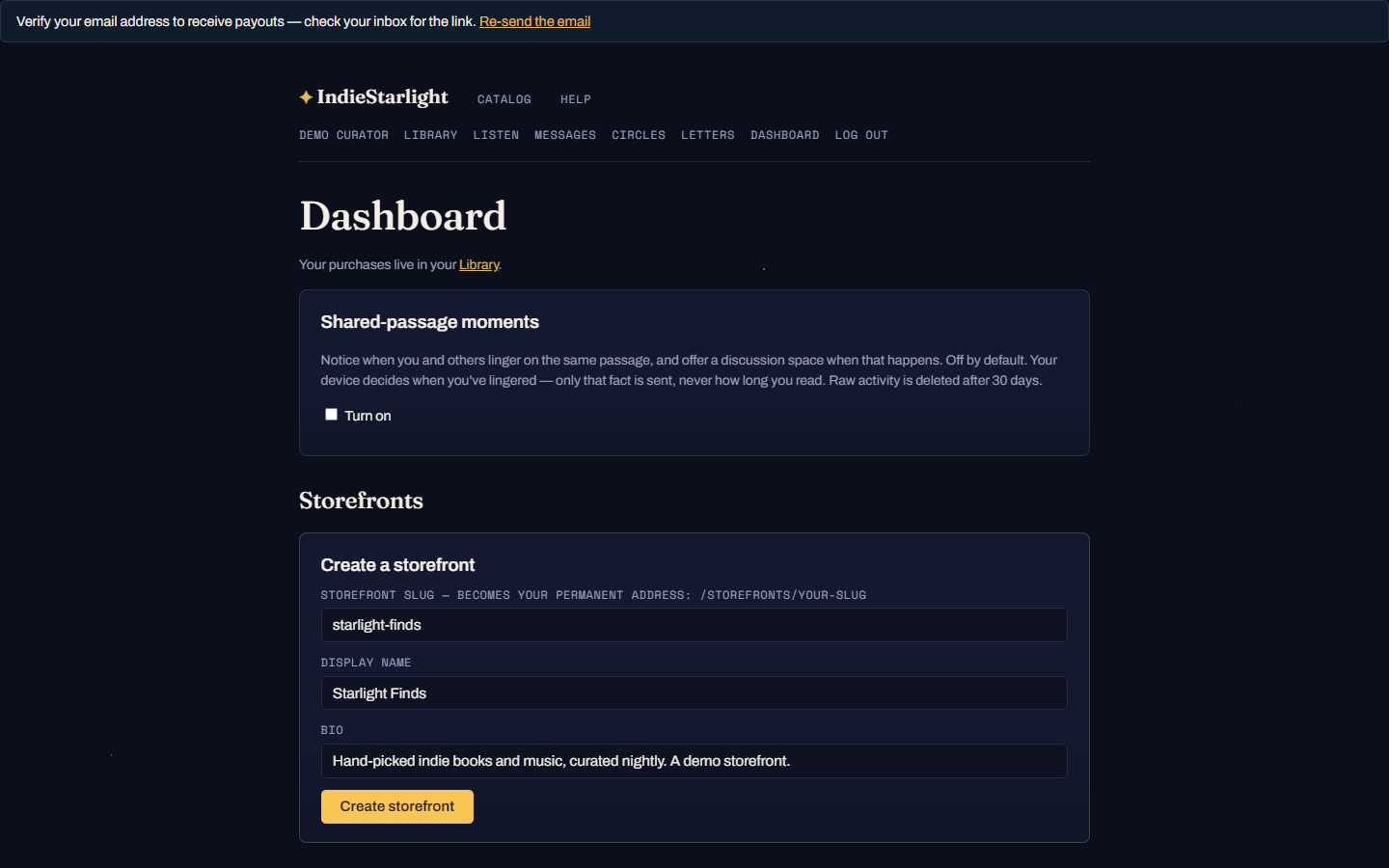
On your dashboard, create your storefront. The slug becomes your permanent address (indiestarlight… /storefronts/your-slug) — pick it carefully, it's yours for good. Add a display name and a bio that tells fans what you curate.
Step 3 — Your storefront is live
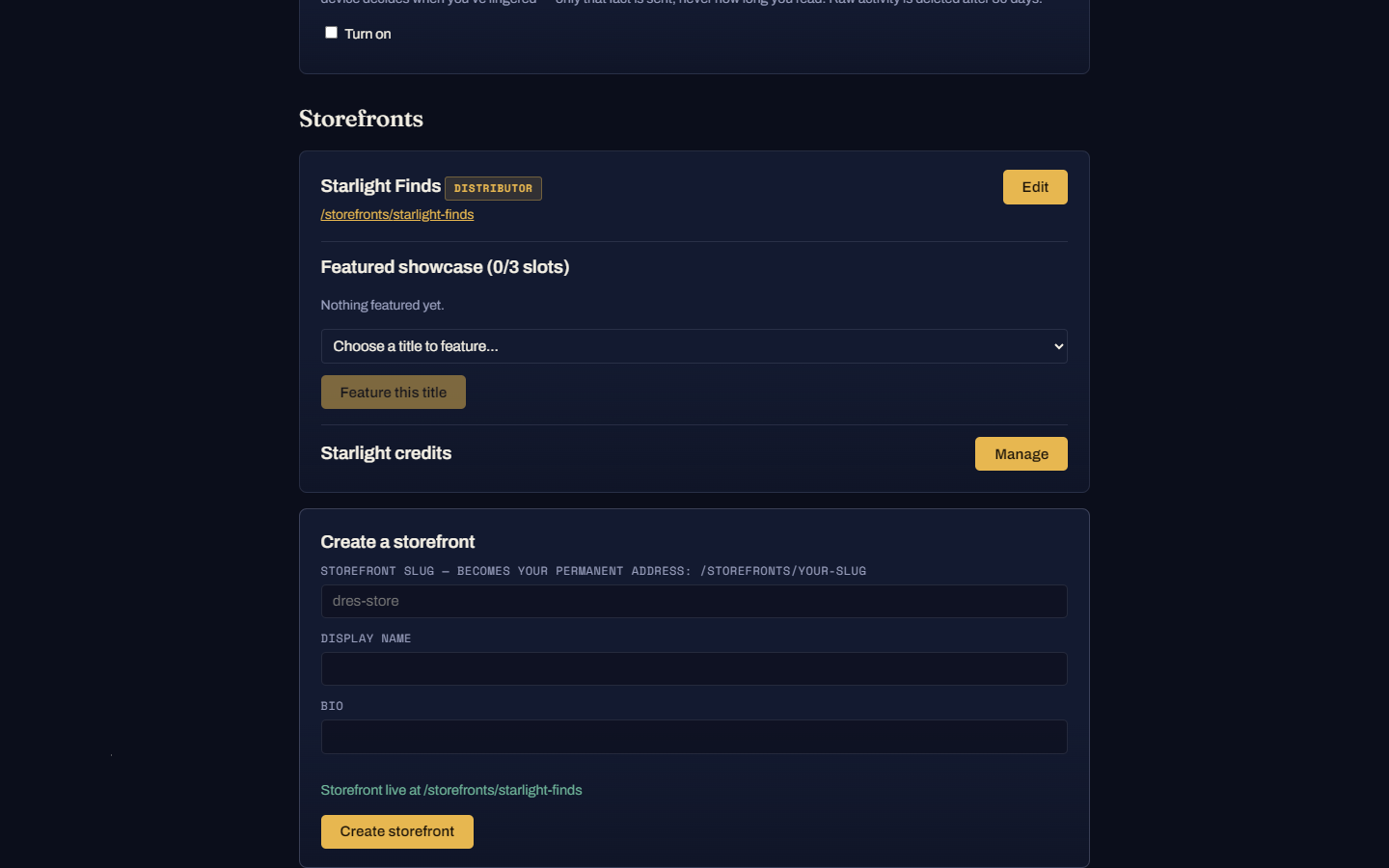
From the dashboard you can edit it, manage it, and feature titles. Featuring is how you put your taste on the shelf — and featured placement adds +5 points to your commission on those sales.
Step 4 — What fans see
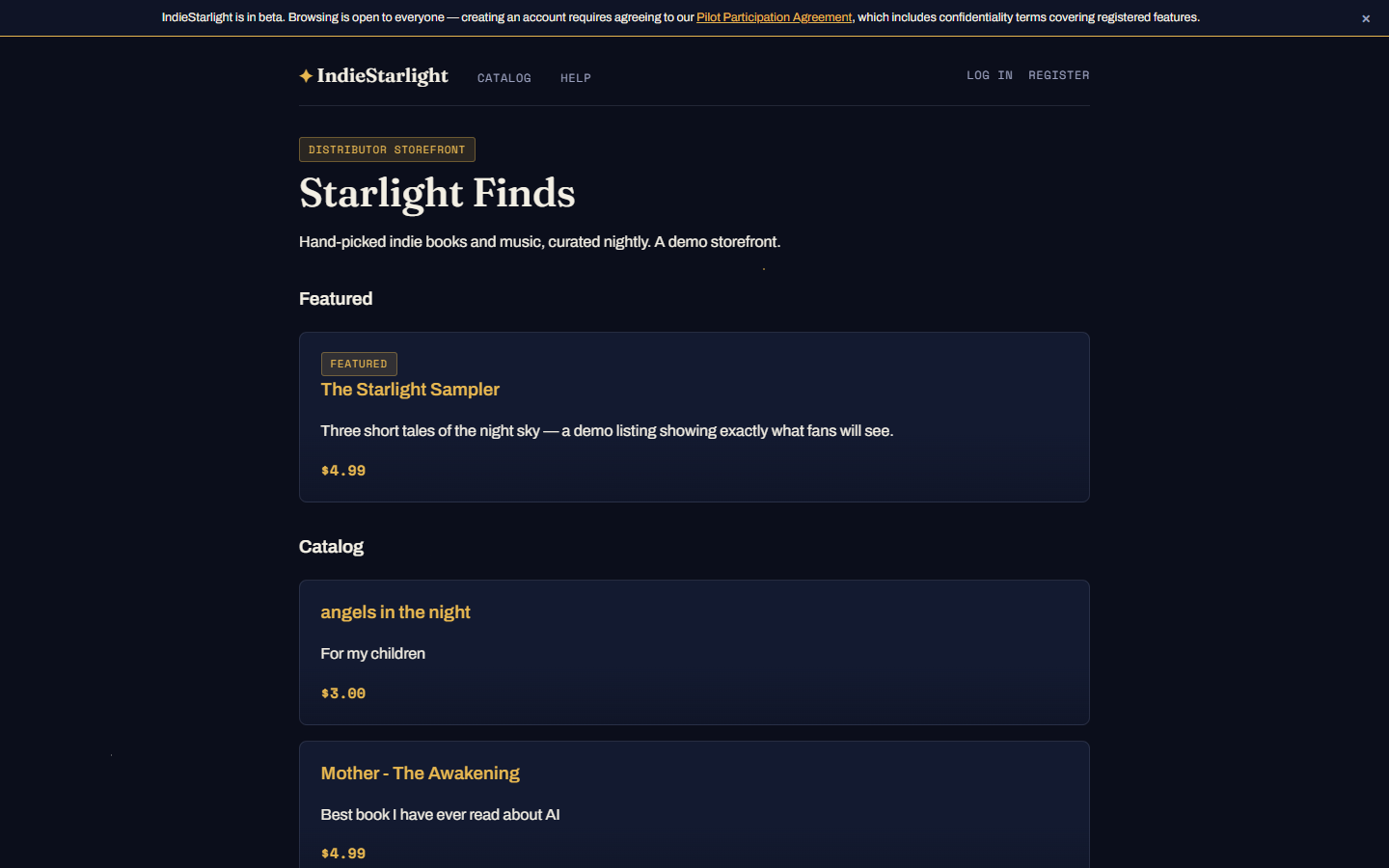
Your public page: your featured picks up top, the wider catalog below. Fans who buy through your storefront credit the sale to you automatically.
Step 5 — Share links that pay you
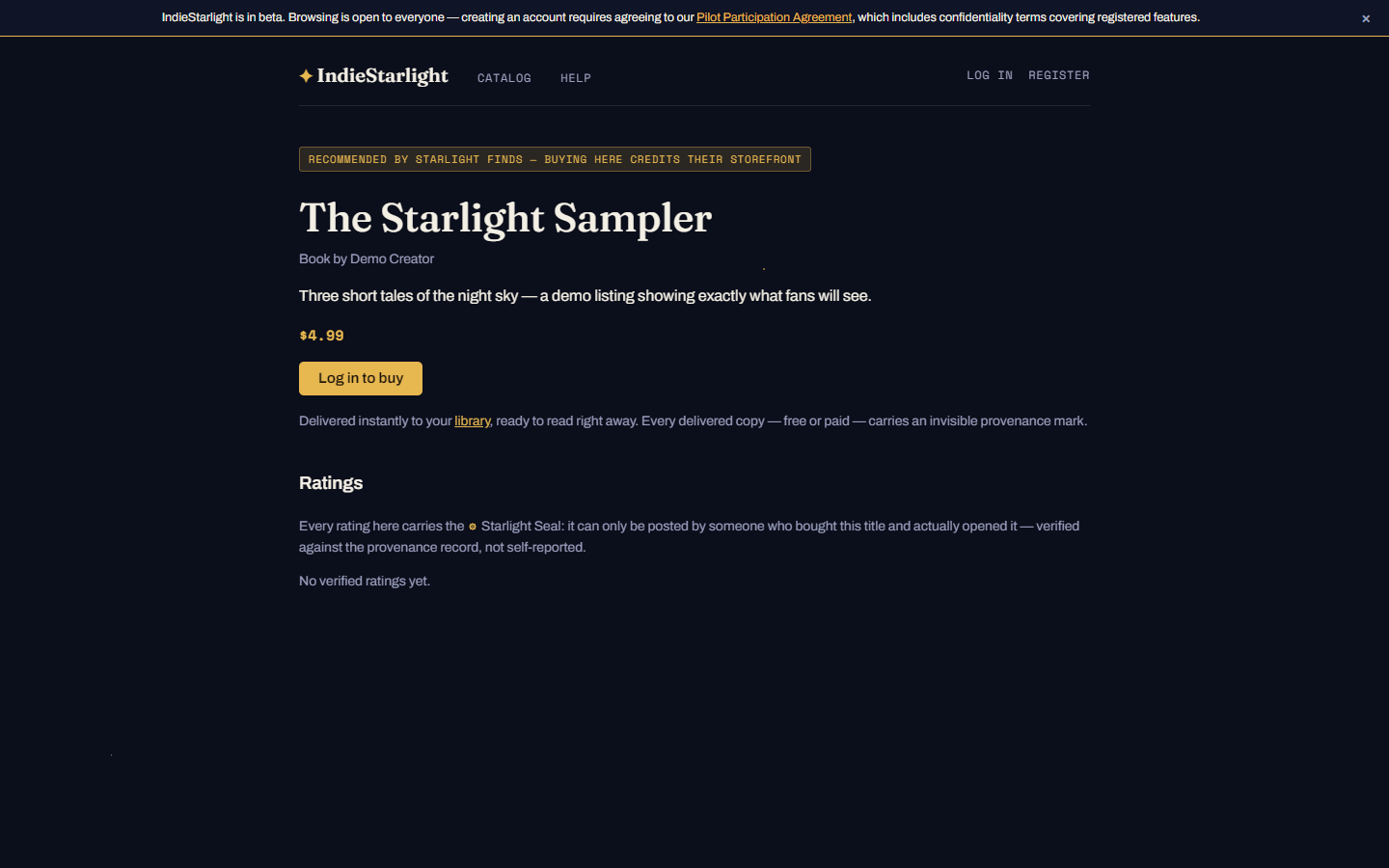
Any title link with ?via=your-slug carries your attribution — share it anywhere (socials, newsletter, group chat). Curator commission starts at 25% and rises to 40% with boosts for featuring and for championing new creators, paid from the ecosystem fund — never out of the creator's share.
Step 6 — Never stuck
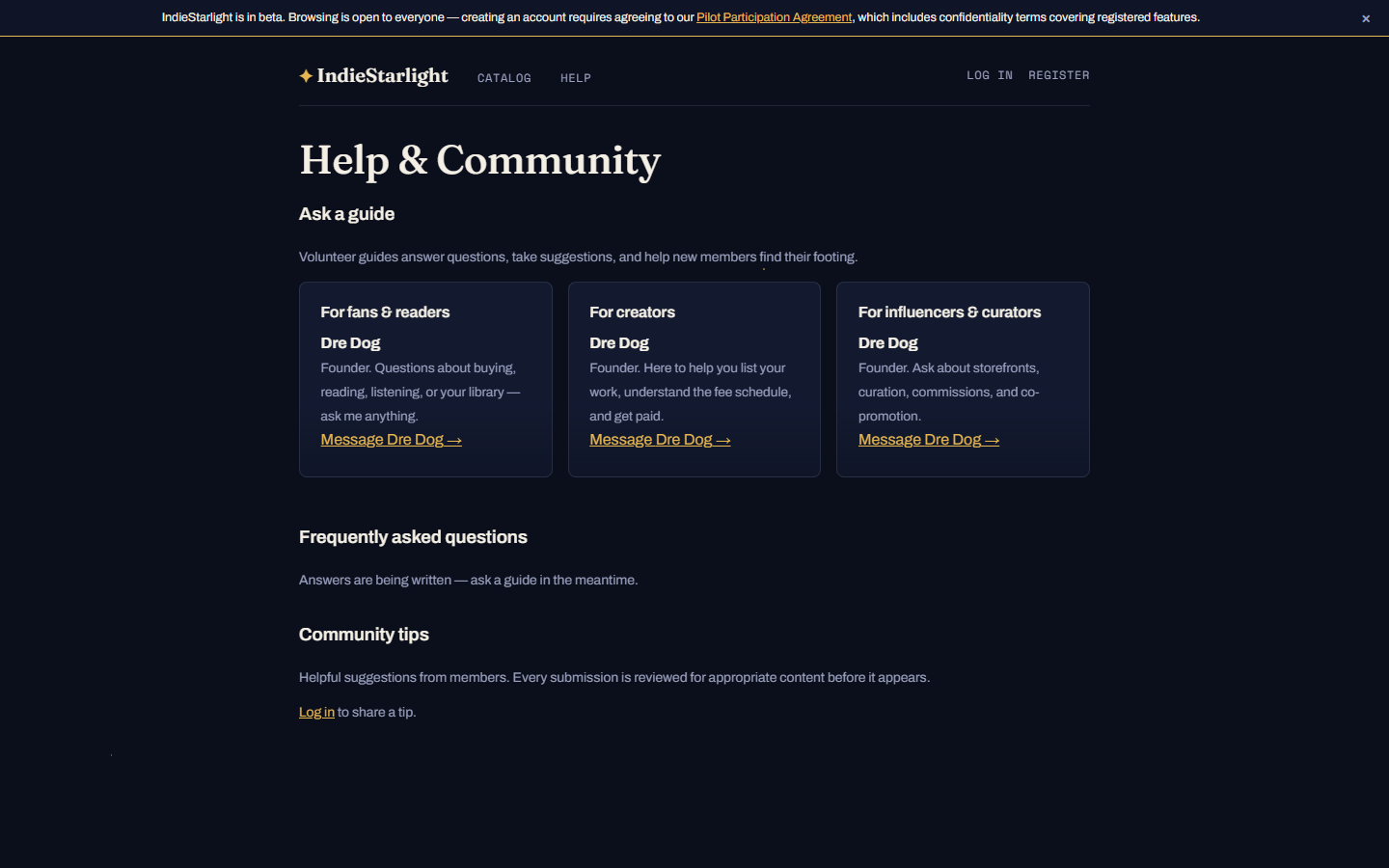
The Help page has FAQs, community tips, and volunteer guides — message one directly about storefronts, commissions, collabs, or co-promotion.
Questions at any step? Ask a guide — a real person answers.